
Nexenta Performance Testing No-SSD/SSD
In this post I will be testing Disk IO without SSD for L2ARC and ZIL/SLOG and then again with SSD for L2ARC and ZIL/SLOG. I will be using the VMware I/O analyzer from here. The SSD drives I will be using are the Intel 520 120GB drives. We will see what the different IO scenarios will look like for NFS and iSCSI. I will also be changing the disk sizes for the second virtual disk on the analyzer from the default of 100MB to 20GB. I am doing this because my NAS/SAN has 16GB of memory installed and I do not want it to cache the data giving false output. I will also be running the test duration for the default 120 secs.
Check out this post and then this one for information on my Nexenta configurations.
First download the I/O analyzer appliance zip file and then extract it. Then import the ova file using the vCenter client.
Below are the different VMware IO Analyzer tests used. I tried to use what I would consider real world scenarios to get a real sense of performance vs. just seeing max performance. If you would like to see a test of a different scenario feel free to leave a comment on this post.
OLTP 4K (4K 70% Read 100% Random) - NFS
NFS
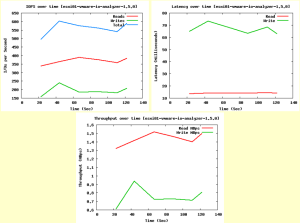
NFS - SSD
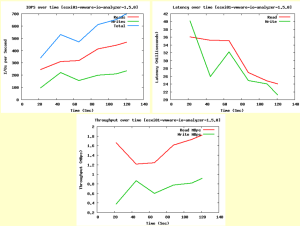
NFS - (Sync=disabled)
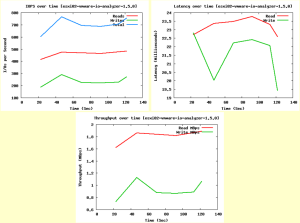
NFS - SSD - (Sync=disabled)
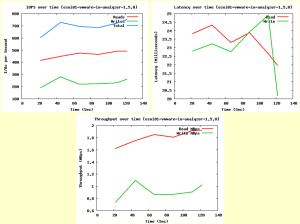
OLTP 4K (4K 70% Read 100% Random) - iSCSI
iSCSI
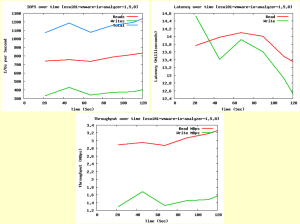
iSCSI - SSD
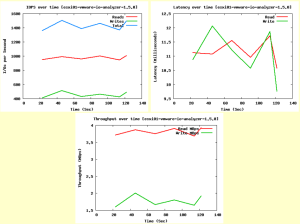
Results from above clearly show that iSCSI using SSD for ZIL/SLOG and L2ARC outperforms the other scenarios including NFS.
SQL - 64k (64k 66% Read 100% Random) - NFS
NFS
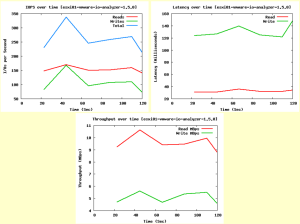
NFS - SSD
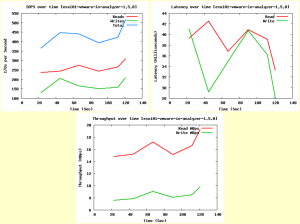
NFS - (Sync=disabled)
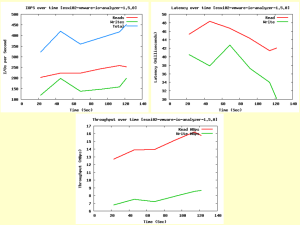
NFS - SSD - (Sync=disabled)
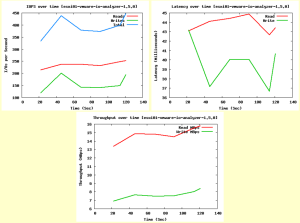
SQL - 64k (64k 66% Read 100% Random) - iSCSI
iSCSI
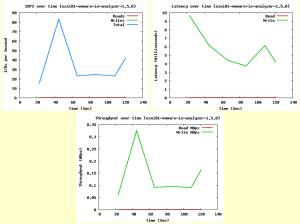
iSCSI - SSD
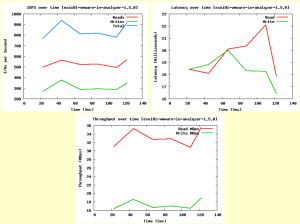
Results from above clearly show that iSCSI using SSD for ZIL/SLOG and L2ARC outperforms the other scenarios including NFS.
Exchange 2007 (8k 55% Read 80% Random) - NFS
NFS
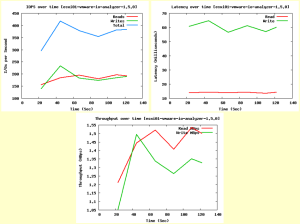
NFS - SSD
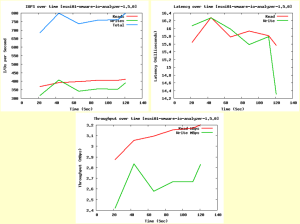
NFS - (Sync=disabled)
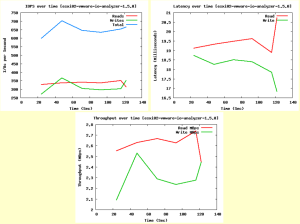
NFS - SSD - (Sync=disabled)
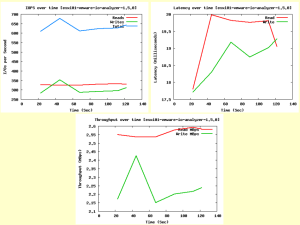
Exchange 2007 (8k 55% Read 80% Random) - iSCSI
iSCSI
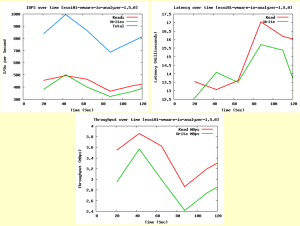
iSCSI - SSD
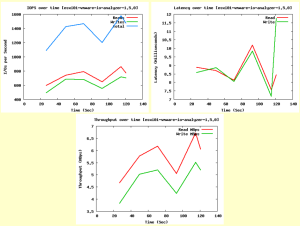
Results from above clearly show that iSCSI using SSD for ZIL/SLOG and L2ARC outperforms the other scenarios including NFS.
Webserver (8k 95% Read 75% Random) - NFS**
NFS
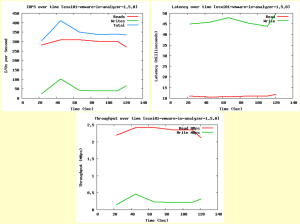
NFS - SSD
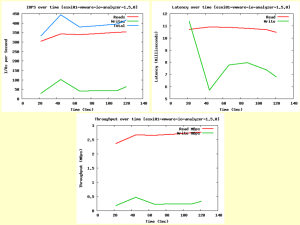
NFS - (Sync=disabled)
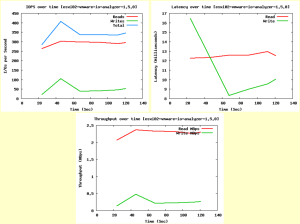
NFS - SSD - (Sync=disabled)
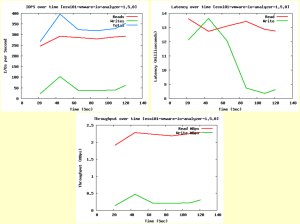
Webserver (8k 95% Read 75% Random) - iSCSI
iSCSI
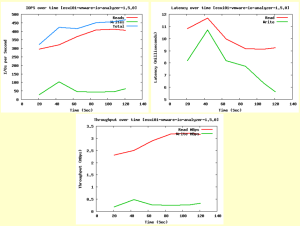
iSCSI - SSD
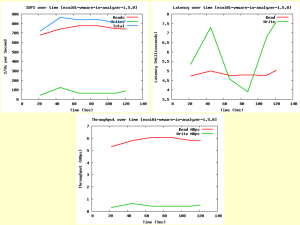
Results from above clearly show that iSCSI using SSD for ZIL/SLOG and L2ARC outperforms the other scenarios including NFS.
Notes
- ZIL is not touched using iSCSI unless you disable writeback cache for the zvol.
- For NFS it appears that throughput and IOPS increased marginally, but the latency decreased significantly when using SSD for ZIL/SLOG and L2ARC. But iSCSI with SSD clearly outperformed NFS in all tests.
- To check out the usage of L2ARC go hereand get the arcstat.pl script and run it with the following commands.
- ./arcstat.pl -f read,hits,miss,hit%,l2read,l2hits,l2miss,l2hit%,arcsz,l2size
That is all I have for this testing scenario and again I welcome comments and would be glad to perform additional tests if asked.
Enjoy!
**Update** You can see the results of a few of these same tests on my new server build here.
Leave a comment